Prediction market alerts are notifications that tell you when something changes in a market you're tracking: a price move, a new listing, or a resolution. Instead of refreshing pages to see whether anything happened, you set the conditions once and get notified when one is met.
The hard part is coverage. Prediction markets trade around the clock on Polymarket and Kalshi, the two largest platforms, and the same question often lists on both. Watching it all by hand means missed entries, missed exits, and positions that resolve while you sleep.
The fix is tracking the markets that matter most to you in one place and letting alerts flag the changes. This guide covers the alert types worth setting up, what each platform offers natively, and how to find, track, and tune your markets.
What prediction market alerts are and how they work.
A prediction market alert is a notification that fires when something specific happens in a market: the price moves or crosses a level you set, the market nears its resolution date, or a new market lists that fits criteria you define. Every alert has the same three parts: what it watches, the condition that trips it, and where the notification reaches you.
Take a market on the next Federal Reserve rate decision. Jobs and inflation data land all month and traders reprice the contract with each release. An alert on that market notifies you when the price moves past the amount you decided matters, so you check the market only when something changed.
The value compounds once you follow several markets across more than one platform. That is exactly where watching by hand breaks down.
Why tracking prediction markets by hand doesn't work.
Prediction markets have no closing bell. News breaks overnight and on weekends, and election, weather, economic, and sports markets can resolve at any hour. A trader can be asleep when a market moves in another time zone, or in a meeting when a position resolves.
The markets you follow are also split across platforms, so covering one question can mean comparing two tabs by hand. That work doubles with every market you add.
The failures that follow repeat themselves:
- Missed entries: the price you wanted came and went before you saw it.
- Missed exits: the move you were waiting to sell into happened while you were away.
- Late resolutions: a market settled, and you found out a day later with capital sitting idle.
Each of these failures has an alert type built to catch it.
Track markets you care about. Set up free alerts in 30 seconds.
The prediction market alert types that matter and when to use each.
Four alert types cover nearly everything a trader needs: price-movement, price-level, expiration and resolution, and new-market. A movement alert catches surprises you didn't see coming, a level alert executes a plan you already made, and the other two keep you ahead of endings and new listings.
Price-movement alerts for catching sudden shifts.
A price-movement alert fires when a market moves more than a set amount in either direction over a set period. Big moves usually mean news broke or serious money entered, and either is worth a look whether you already hold a position or are waiting to enter.
Say a Fed rate market jumps 12 points in the hour after a surprise inflation print. A movement alert set at 10 points reaches you while the repricing is happening, not whenever you next check the page.
The threshold is an amount of movement, not a price. Set it too tight and every wobble pings you; too loose and it misses the move it existed to catch.
Price-level alerts for entries and exits.
A price-level alert fires when the price touches a number you chose in advance. It exists to execute a plan: decide where you would buy or sell, set the level, and stop watching.
If a contract you want at 25 cents trades at 34 today, set the alert at 25 and move on. If the price gets there you act on a decision you made calmly, and if it never does, the alert cost you nothing.
Tools vary on whether they offer movement alerts, level alerts, or both. Check which one you are actually getting.
Expiration and resolution alerts for markets near the end.
An expiration and resolution alert tells you when a market you follow is approaching its end date or has resolved. Near expiry, liquidity can thin and spreads can widen, so exiting late tends to cost more; after resolution, your capital is free and the outcome is settled.
A weekly economic market that settles every Thursday is easy to lose track of by Wednesday night. An expiry reminder the day before lets you exit or hold deliberately instead of by default.
New-market alerts for finding trades early.
A new-market alert tells you when a listing that matches your criteria goes live. New markets are often thin and carelessly priced in their first hours, which is when knowing the subject is worth the most.
If you follow Fed policy, a keyword alert on new rate markets puts each fresh listing in front of you before the crowd prices it in. Filter by category or keyword so the alert covers your niche rather than the whole platform.
Where to get alerts on Polymarket and Kalshi.
Both platforms ship native notifications, and both are barer than most traders expect: account activity plus a small fixed set of market events, with almost nothing to configure. Third-party tools cover the rest.
How to set up Polymarket alerts.
Polymarket's notification settings, available once you're signed in, cover four categories: new market listings, order fills, resolutions, and one built-in price alert. That price alert is a fixed rule: it fires when a market on your watchlist, or one you hold a position in, moves 10% or more in a day, as of July 2026.1Polymarket, "Notification settings," polymarket.com, July 2026
The limits sit exactly where a trader wants control: no custom price target, no adjustable threshold, and no alerts on a market you haven't watchlisted. For any of those, you need a tool outside Polymarket's own settings.
How to set up Kalshi alerts.
Kalshi's documented notifications are narrower. Enable email or app notifications in Settings and Kalshi tells you when a market you own settles, as of July 2026.2Kalshi, "Market FAQs," help.kalshi.com, July 2026 Its help documentation describes no configurable price or movement alert for a market you watch but haven't traded.
Custom price alerts and any real configuration sit outside the native settings on either venue.
What to check before trusting a third-party alert tool.
Trusting a third-party alert tool comes down to four checks:
- Access: a tool that only reads public market data is the safer default, like the email-only PolyAlertHub4PolyAlertHub, "PolyAlertHub," polyalerthub.com, July 2026 or the locally run Alphascope.5Alphascope, "Polymarket Wallet Tracker," alphascope.app, July 2026 Treat wallet-connection requests with caution, and never enter a seed phrase anywhere.
- Builder: an App Store listing called “Polymarket Alerts” is published by Crapps Crypto Apps S.R.L., not by Polymarket.3Apple App Store, "Polymarket Alerts," apps.apple.com, July 2026 The seller name, not the app name, tells you who you're trusting.
- Cost: know the model before depending on a tool you'd miss if it vanished.
- Coverage: a cross-platform monitor like Rivo lets you pick which platform an alert applies to,6Rivo, "Alerts," rivo.markets, July 2026 while a single-platform tool leaves the other venue unwatched.
The scanner and alerts on this site are built to clear all four: public market data only, no wallet connection, and Polymarket and Kalshi covered together.
How to find new prediction markets worth trading.
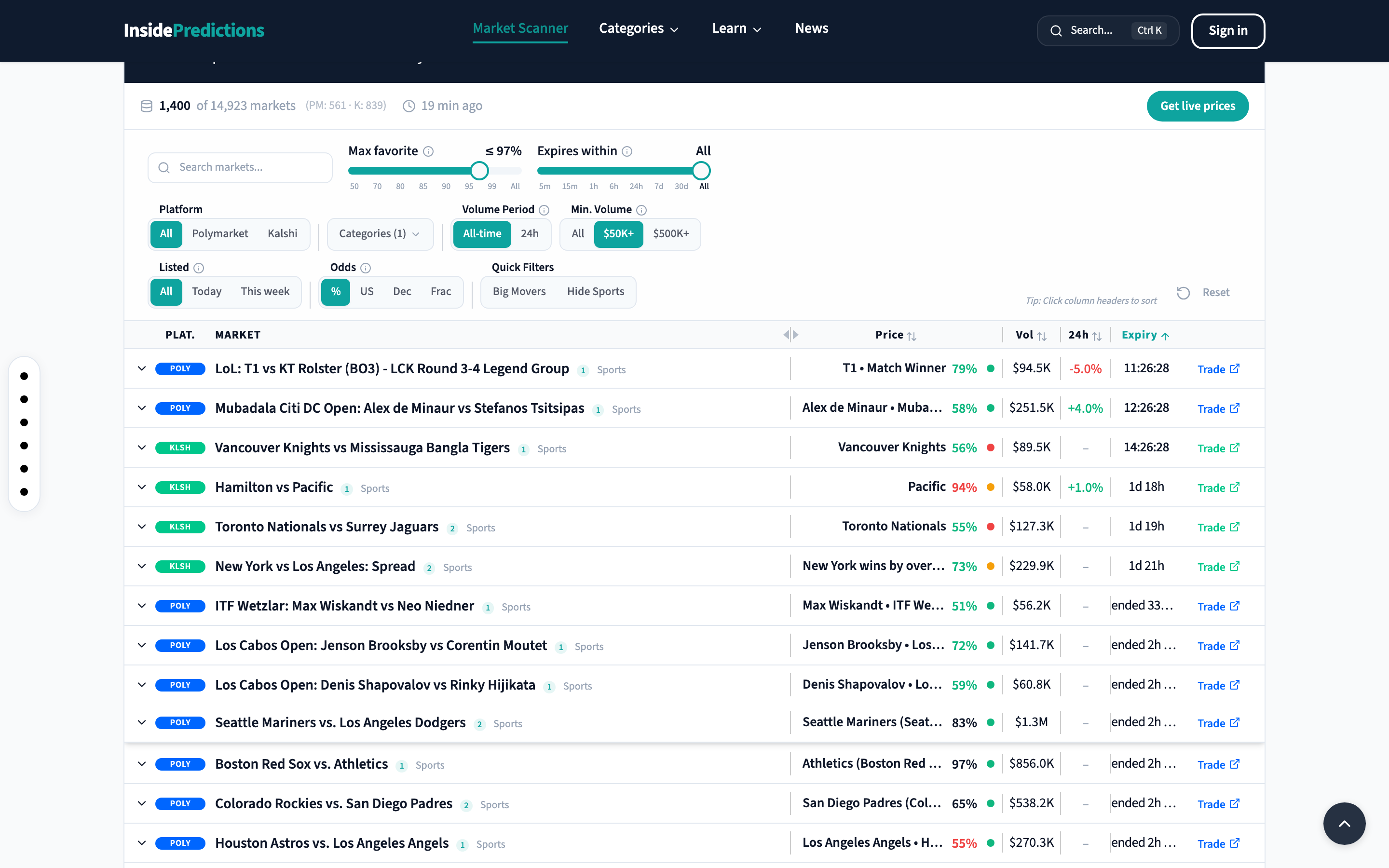
Finding markets worth trading means filtering everything listed down to your niche and a quality bar. Four filters do the work:
- Category or topic: a subject you already know.
- Platform: Polymarket, Kalshi, or both.
- Minimum volume: a market with only a handful of trades carries a stale-looking price and a wide spread, so a volume floor clears most of the junk.
- Certainty: a contract priced in the high 90s is already decided; a market still working out its answer is where analysis pays.
A saved filter turns this into something that runs on its own. Set the four once, and matching markets keep surfacing without re-running the search.
One more comparison worth building in: whether the same question lists on both Polymarket and Kalshi. Both contracts settle against the same outcome; what changes is the venue, meaning liquidity, fees, and how each platform handles edge cases. If prices ever do split, check the contract terms first, because resolution criteria, settlement source, and expiry timing can differ even when the question sounds identical.
How to track the markets you follow in one place.
Tracking markets in one place means putting the markets that matter most to you, from either platform, onto a single watchlist instead of a pile of browser tabs. A watchlist works best when it holds markets you would actually act on; a list padded with markets you never revisit buries the ones that matter.
A cross-platform market scanner holds Polymarket and Kalshi markets on one page, with both venues visible side by side.
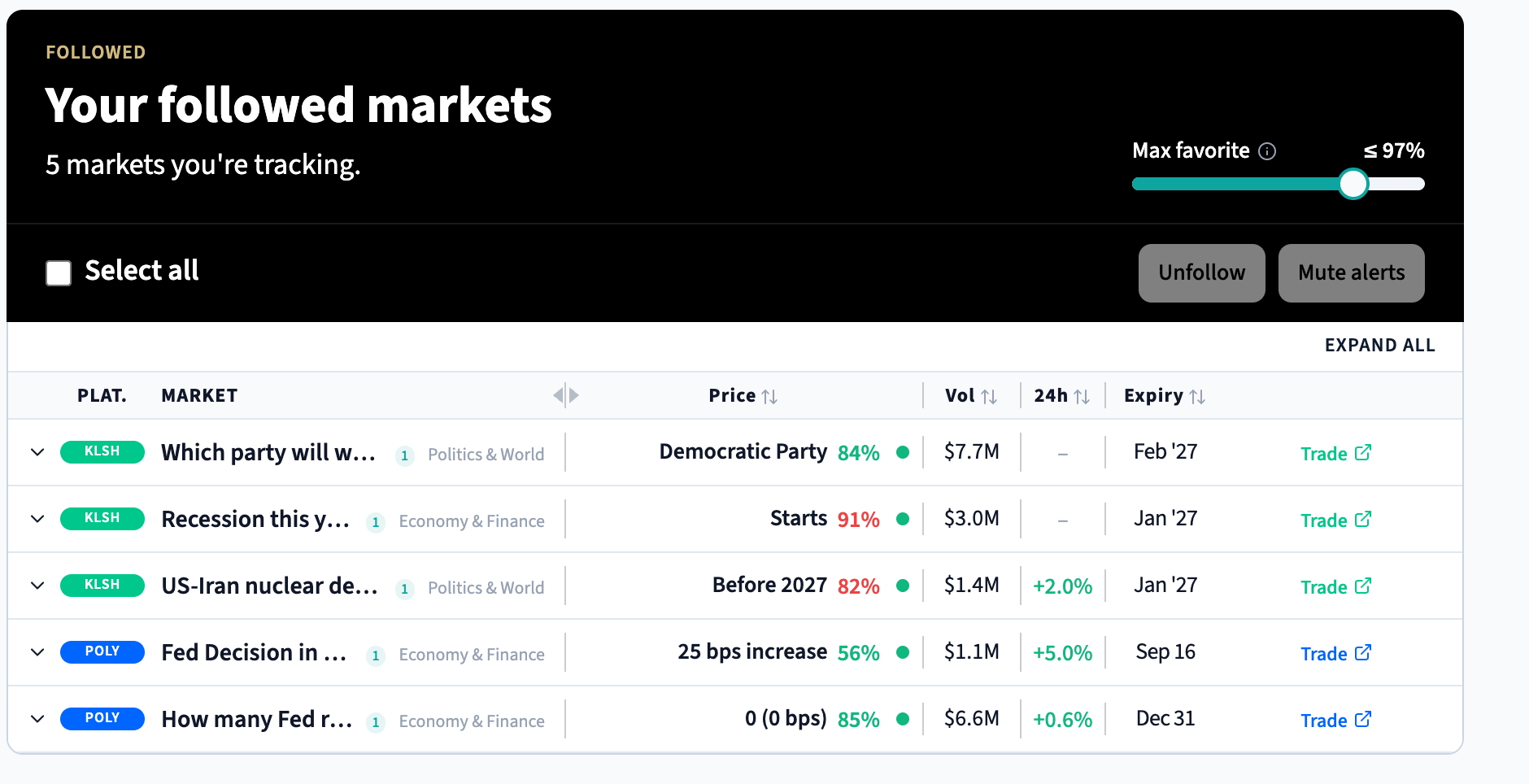
When the same question lists on both platforms, tracking it as one pair keeps the venue comparison in one view. And a watchlist that outgrows what you review on a normal day has stopped doing its job; trim it rather than adding one more market.
Alerts sit on top of the watchlist. The list decides which markets deserve attention; the alert decides when one of them needs it.
How to set thresholds so alerts stay useful.
Setting a useful threshold means matching it to how a specific market behaves and where its price sits, rather than applying one default everywhere. The goal is a handful of meaningful alerts a day, not a stream you learn to ignore.
A percentage threshold behaves differently depending on price. A 10 percent move on a 50-cent contract is a 5-cent swing worth knowing about; on a 5-cent contract it is half a cent, which fires on almost nothing.
A cents-based threshold has the opposite problem: a genuine 2-cent shift on a cheap contract is a big relative move, yet it slips under a bar sized for higher-priced markets.
A slow market that drifts a point or two a day can carry a tight threshold, since even small moves are informative. A market that swings on every headline needs a looser one, or every alert becomes noise; where a tool allows it, set sensitivity per market.
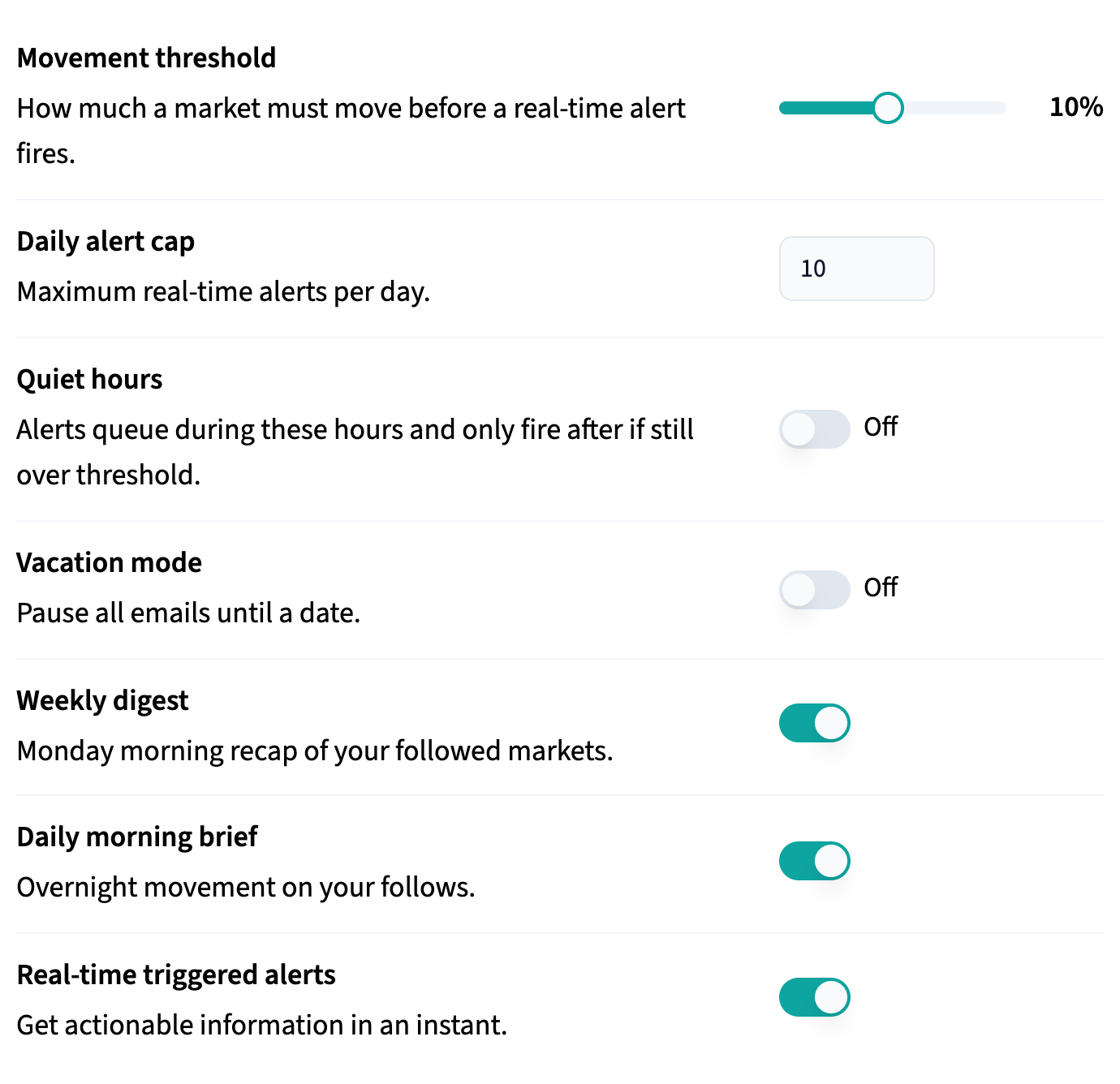
An alert feed that fires too often stops getting read. Matching thresholds to markets keeps the feed worth checking, and it completes the setup: markets found, tracked, and alerted on in one place.